




Close
  • English
Bali Visa
  • Visa Services
    • Visitor Visa
      • Visa On Arrival (E-VOA)
      • Single Entry Visa for Tourism C1
      • Single Entry Visa for Business C2
      • Multiple Entry Tourist Visitor Visa D1
      • Multiple Entry Business Visitor Visa D2
      • Multiple Entry Pre-Investment Visa D12
      • Pre-Investment Visa C12
      • C22 Internship Visa
      • EPO (Exit Permit Only)
    • Visa Extension
      • Visa On Arrival (E-VOA)
      • Single Entry Visa for Tourism C1
      • Single Entry Visa for Business C2
      • Pre-Investment Multiple Entry Visa D12
    • KITAS(longer stay visa)
      • Pre-Investment Visa C12
      • Investment KITAS E28A
      • Working KITAS
      • Retirement KITAS – E33F
      • Silver Hair Retirement KITAS – E33E
      • Digital Nomad KITAS E33G
      • Family Dependent KITAS
      • Spouse KITAS
      • Child KITAS
      • Parent KITAS
      • Sibling KITAS
      • Student KITAS E30A
      • Second Home KITAS E33
      • Golden Visa Indonesia
      • KITAP (Permanent Stay Permit)
      • Work Permit Indonesia
  • Company Establishment
    • Foreign Investment Company (PMA)
    • Local Investment Company (PMDN)
  • Legal Service
    • Open Bank Account
    • Driver’s License
    • Residency Certificate (SKTT)
    • Police Clearance Certificate (SKCK)
    • LKPM Report
    • Tax Report
  • Blog
  • Virtual Office
  • Contact
Appointment
Logo
Appointment
Logo
  • Berawa No.6, Canggu
  • info@balivisa.co
  • Mon - Fri : 10:00 to 17:00
    Bali Visa > Blog > Tax Services > Staying Connected: IMEI Registration in Indonesia Made Easy
IMEI Registration in Indonesia 2026 – customs rules, device taxes, and safe network access
December 4, 2025

Staying Connected: IMEI Registration in Indonesia Made Easy

  • By KARINA
  • Tax Services, Travel

Having your phone suddenly lose signal in Indonesia is more than an inconvenience; it’s often the first sign that your device’s IMEI was never properly registered with customs. For many foreigners, the first real introduction to IMEI registration in Indonesia happens at the airport after a long flight, in front of a queue and a customs desk instead of a calm online guide. That’s why understanding the rules before you land is one of the easiest ways to protect your number, your data, and your budget 📱.

The heart of the process for phones brought from abroad is the official IMEI form managed by customs. Through the IMEI registration form of the Directorate General of Customs and Excise you provide flight details, device specifications, and purchase value so officers can decide whether import tax applies and activate your IMEI on Indonesian networks. For many travelers and long-stay residents, this is the difference between a fully working phone and a “Wi-Fi-only brick”.

Behind customs, there is also a central whitelist system. Each device’s IMEI must be recognised in the national IMEI database managed by the Ministry of Industry so that mobile operators can legally allow it onto their networks. Indonesia introduced this control to fight illegal phone imports, but it now directly affects tourists, digital nomads, international students, and even company directors who arrive with high-end phones bought overseas. For businesses and PT PMA owners, failing to plan for staff device registration can quietly disrupt operations and client communication.

This guide walks you step by step through the reality of IMEI registration in Indonesi who actually needs it, how airport procedures and electronic customs declarations work, how tax and value thresholds are assessed, and what happens if you miss the deadline or try to rely on unofficial “unblocking” services. We will align the process with the government’s own IMEI control policy and show you how to stay on the right side of both customs and mobile operators using the official IMEI control policy announcement from the Indonesian government. By the end, you’ll know exactly which steps to take so your phone keeps working smoothly during your entire stay in Indonesia 😊.

Table of Contents

  • Why IMEI registration in Indonesia matters for your phone 📶
  • Key rules for IMEI registration in Indonesia at customs ✈️
  • How IMEI registration in Indonesia works through ECD online 📝
  • Taxes, limits, and costs of IMEI registration in Indonesia 💰
  • Practical timelines for IMEI registration in Indonesia stays ⏱️
  • Real Story — IMEI registration in Indonesia for a Bali student 📖
  • Common IMEI registration in Indonesia mistakes to avoid ⚠️
  • Future of IMEI registration in Indonesia and eSIM options 🔍
  • FAQ’s About IMEI registration in Indonesia for phone users ❓

Why IMEI registration in Indonesia matters for your phone 📶

For many visitors and residents, IMEI registration in Indonesia is invisible until something goes wrong. The IMEI (International Mobile Equipment Identity) is your device’s unique ID in the national database; if it is not recognised, local operators are required to block mobile service. The phone still turns on, but calls, SMS, and mobile data simply stop working while Wi-Fi apps continue like normal.

Indonesia uses this system to fight black-market phones and to make sure imported devices go through proper customs and tax channels. For you as a user, that means the network will check whether your device’s IMEI is on the whitelist, not only whether your SIM card is active. When you bring a phone from abroad or buy one that was imported without proper papers, the risk is that the IMEI never reaches the whitelist and eventually gets blocked.

This is why planning IMEI registration in Indonesia matters so much for long stays. If you are a student, remote worker, or business owner coordinating teams across cities, losing mobile service suddenly can disrupt banking, two-factor authentication, and client communication. Good planning turns IMEI registration from a stressful surprise at the airport into a simple administrative step you handle once and then forget about ✅.

Key rules for IMEI registration in Indonesia at customs ✈️

IMEI Registration in Indonesia 2026 – passenger devices, customs posts, and documents

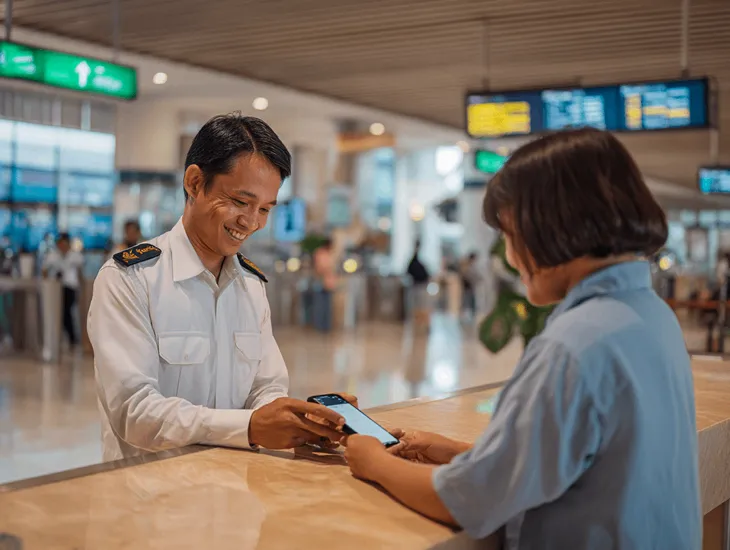
When you first arrive with a phone from overseas, IMEI registration in Indonesia usually starts at the customs area in the international terminal. The formal rule is that devices brought in personal luggage must be declared to customs if they will be used with an Indonesian SIM beyond a short visit. Officers typically treat phones differently depending on whether you are a tourist on a short trip or a person intending to stay longer.

At most international airports, you will find a customs post or counter dedicated to mobile devices. There, officials rely on your Bea Cukai IMEI form or electronic customs declaration to capture your passport details, flight number, and basic phone data such as brand, model, and IMEI. You are normally allowed to register a limited number of devices per passenger, most commonly up to two phones per person, which is enough for a personal phone and a work device.

To make IMEI registration in Indonesia smoother at customs, prepare these items in advance: your passport, boarding pass, the device itself (powered on so you can show the IMEI), and, where possible, proof of purchase showing the price. Officers check whether the device value sits below or above the tax-free threshold and whether the phone is clearly for personal use rather than resale. Being organised at this stage saves a lot of time and reduces the chances of follow-up questions or delayed network activation 🙂.

How IMEI registration in Indonesia works through ECD online 📝

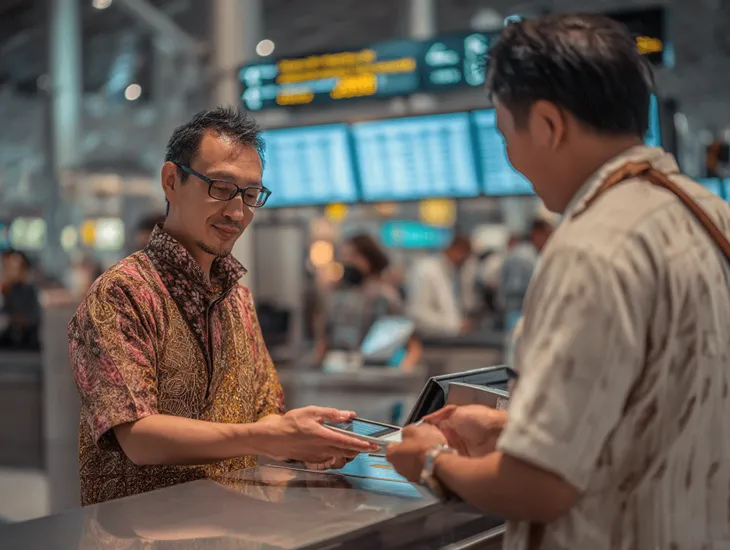
At many airports, IMEI registration in Indonesia is now integrated into the Electronic Customs Declaration (ECD) system. Instead of filling multiple paper forms, you complete one digital declaration that covers both your general goods and your phone data. When you arrive, you show the ECD QR code to customs, and officers can see your device information instantly.

The ECD typically asks whether you bring phones, laptops, or tablets from abroad and whether they exceed certain value limits. If you indicate “yes”, additional fields open so you can enter IMEI, brand, and purchase value. This is where you effectively start how to register IMEI in Indonesia long before you meet a customs officer in person. For busy airports and peak travel days, this digital pre-fill is a major time saver.

Even with ECD in place, customs staff may still ask to see the device, check the IMEI on the screen, and verify that your declaration matches the actual phone. Once they are satisfied and any required taxes are paid, they authorise the IMEI to be added to the national database used by mobile operators. Within a short time, your phone should work normally with an Indonesian SIM card, and your IMEI registration in Indonesia is effectively complete for that device 📲.

Taxes, limits, and costs of IMEI registration in Indonesia 💰

For many people, the biggest practical question about IMEI registration in Indonesia is: “How much will this cost me?” The answer depends mainly on the value of your device and whether you declare it correctly on arrival. Indonesia applies import duty and domestic taxes when the declared value is above certain thresholds; below those limits, many personal-use phones can be cleared without additional payment.

In practice, officers look at your invoice or a reasonable estimated value in local currency. If your device sits under the tax-free threshold, IMEI registration in Indonesia for foreigners is often free at the airport customs post, as long as you follow the rules and register promptly. If the phone is significantly more expensive, they will calculate import duty and VAT based on the taxable value, and you will pay at the cashier before your IMEI is approved.

The most expensive mistake is trying to avoid tax by not declaring the phone or by registering late, once you are already deep into your stay. In such cases, you may find that blocked IMEI phones are harder to regularise, or that officers insist on full tax calculation without any allowance, especially for obviously high-end models. Planning ahead, keeping invoices, and being honest with customs usually give you the lowest legal cost over the life of the device 💡.

Practical timelines for IMEI registration in Indonesia stays ⏱️

The timeline for IMEI registration in Indonesia is closely tied to how long you plan to stay and how you intend to use your phone. Tourists on short trips who use roaming from their home operator typically do not need to register, because their devices never join Indonesian networks as local subscribers. Problems usually start when you buy a local SIM or eSIM and intend to stay for months, not weeks.

A practical rule of thumb is simple: if you expect to use a local SIM for around three months or longer, treat IMEI registration in Indonesia at the airport as mandatory, not optional. Customs systems and operators are designed so that unregistered imported phones are blocked after a set period on local networks. Once that happens, your number still exists, but your device is effectively locked out from calls, SMS, and data.

For people who extend their stay unexpectedly—remote workers who fall in love with Bali, students who add another semester, or spouses who join a partner’s longer assignment—it is wise to regularise the device sooner rather than later. Leaving IMEI registration in Indonesia until the last moment can push you into a window where customs rules are stricter, taxes are higher, or the only solution is to buy a new, locally registered phone 🔁.

Real Story — IMEI registration in Indonesia for a Bali student 📖

IMEI Registration in Indonesia 2026 – long-stay student case study

When Lucas, a student from Brazil, arrived in Denpasar for a one-year hospitality program, he landed with a brand-new flagship phone bought on sale at home. He had read vaguely about IMEI registration in Indonesia, but assumed it was only for people importing boxes of phones for resale. At the airport, he walked straight past the customs desk, bought a local SIM, and enjoyed full signal for the first few weeks.

Around the second month, things changed. His calls started failing, mobile data disconnected randomly, and finally the SIM stopped working entirely while Wi-Fi apps were still fine. Friends told him his device was probably on the blacklist of blocked IMEI phones, meaning the IMEI was never authorised for Indonesian networks. Lucas tried a new SIM from another operator and had the same problem—no mobile service.

Panicking, he visited a local phone shop where staff whispered about “unblocking services” for a fee. Luckily, one of his lecturers advised him against it and sent him to a reputable consultant familiar with IMEI registration in Indonesia for foreigners. Together they visited the nearest customs office, where officers explained that his phone had entered without proper declaration and now required back-calculated tax based on its real value.

The consultant helped Lucas gather documents, print proof of purchase, and complete the formal Bea Cukai IMEI form. After paying the tax and waiting for confirmation, his IMEI was finally whitelisted. Within a short time, his local SIM worked again and he could use banking apps, ride-hailing, and campus systems normally. The experience was expensive, but it convinced him—and his classmates—that handling IMEI registration in Indonesia correctly at the start is far cheaper than repairing mistakes later 📖.

Common IMEI registration in Indonesia mistakes to avoid ⚠️

One of the most frequent mistakes with IMEI registration in Indonesia is assuming that “nothing will happen” if you skip customs on arrival. Because phones keep working initially, people believe the system will never catch up, only to discover months later that their device is silently blocked. By that time, fixing the issue usually means more paperwork, more tax, and more time at government offices.

Another error is trusting unofficial “agents” who promise to unblock blocked IMEI phones through backdoor channels or social-media offers. Many of these services are illegal, may involve tampering with device identity, and can expose you to fraud or even criminal liability. If authorities later find that your IMEI has been manipulated, they can treat the phone as an illegal device, regardless of how much you paid someone to “fix” it.

People also underestimate how much IMEI status affects everyday life. A blocked phone in Indonesia does not just mean no calls; it can interrupt two-factor authentication for banking, investment apps, and company systems. For business owners, neglecting IMEI registration in Indonesia for staff devices can result in missed client calls, failed deliveries, and serious reputational damage. The safest strategy is to stay inside official channels: declare devices at customs, keep invoices, and avoid shortcuts 🚫.

Future of IMEI registration in Indonesia and eSIM options 🔍

Looking ahead, IMEI registration in Indonesia is likely to become even more integrated with digital systems such as online customs declarations, national databases, and operator tools. As more travelers use eSIM instead of physical SIM cards, the focus will still remain on the device IMEI: even an eSIM cannot work on local networks if the phone itself is not whitelisted.

For long-stay foreigners, this means planning device strategy as carefully as visa and tax planning. Some choose to keep a high-end foreign phone on Wi-Fi only while buying a cheaper, locally registered handset for everyday calls and data. Others prefer to go through proper IMEI registration in Indonesia for imported phones so they can use a single flagship phone for everything, including work and banking. Both approaches can work, as long as they respect customs and operator rules.

As enforcement improves, authorities will also keep tightening their response to illegal imports and cloned IMEI numbers. Buying suspiciously cheap phones without proper proof of origin will become riskier, because the chance that they vanish from the network without warning goes up. Staying informed about the latest Indonesian customs phone rules and checking IMEI status before you buy or travel is the simplest way to protect your communication, your data, and your budget 🔍.

FAQ’s About IMEI registration in Indonesia for phone users ❓

  • Do all foreigners need IMEI registration in Indonesia?

    No. Short-stay visitors who only use roaming from their home operator usually do not need to register. IMEI registration becomes relevant when you plan to stay longer and use an Indonesian SIM or eSIM in a foreign-bought phone.

  • What happens if I don’t register my phone’s IMEI?

    If a device that should be declared is not properly registered, it can be placed on a blacklist. In practice, that means no calls, SMS, or mobile data on Indonesian networks, while Wi-Fi apps still work.

  • Can I register my IMEI later if I forgot at the airport?

    In some cases, you may still be able to regularise IMEI registration in Indonesia through a customs office, but expect more questions and potentially higher taxes. The longer you wait—especially after a block—the harder and costlier it tends to become.

  • How many phones can I register under my name?

    Rules can vary slightly, but personal-use regimes typically allow a limited number of devices per passenger, often up to two phones. If you bring more devices, customs may treat them as commercial goods and apply different procedures.

  • Is it safe to use services that claim they can unblock my IMEI?

    No. Many such services are unofficial or illegal, and they may alter your device identity or take your money without delivering a lasting fix. The safest path is always through official IMEI registration in Indonesia channels managed by customs and related ministries.

  • Does IMEI registration in Indonesia affect my data privacy?

    IMEI systems are used to identify devices, not the content of your communications. Operators and regulators use them to allow or block devices on networks and to combat illegal imports. As long as you use legal phones and official registration channels, privacy concerns are similar to other countries that use IMEI controls.

Need help with IMEI registration in Indonesia for your device or staff phones? Chat with us for clear, practical guidance ✨

Chat on WhatsApp Chat on WhatsApp
  • Category:
  • Tax Services, Travel
  • Share:
KARINA

A Journalistic Communication graduate from the University of Indonesia, she loves turning complex tax topics into clear, engaging stories for readers. Love cats and dogs.

Categories

  • Company Establishment
  • Legal Services
  • Visa Services
  • Travel
  • Tax Services
  • Business Consulting

Recent Posts

Indonesia visa exemption 2026 – visa-free countries, stay limits, and entry tips
Indonesia visa exemption 2026: complete visa-free countries list
December 4, 2025
Halal certification in Indonesia 2026 – legal basis, process, and deadlines
Comprehensive guide to halal certification in Indonesia 2026
December 4, 2025
Halal certification Indonesia 2026 – deadlines, sectors, and compliance
Businesses must have halal certification Indonesia 2026 roadmap
December 4, 2025
u3449978488_An_office_setting_with_two_people_sitting_at_a_w (2) (1)
  • Any Questions? Call us

    +62 853 3806 5570

  • Any Questions? Email us

    info@balivisa.co

Free Online Assessment

    logo-white

    Bali Visa service сompany is
    your trusted partner in Indonesia,
    catering to your individual needs
    and providing a seamless and easy solution to all your travel needs.

    Important links
    • Visa Service
    • Company Establishment
    • Legal Services
    • Blog
    Support
    • Privacy Policy
    • Refund Policy
    • About Us
    • Contact
    Find Us Here

    Permana virtual office, Ganidha residence, Jl. Gunung Salak ruko no.1, Padangsambian Klod, Kec. Denpasar ,Bali -PT PERMANA GROUP

    Mon/Fri 10:00 – 17:00

    +62 853 3806 5570

    Get Directions

    (©) 2025 Bali Visa Services company. All rights reserved.

    • Home
    • About Us
    • Contact Us